- Choose mechanics and dynamics that support clear and measurable objectives.
- Combines real-time assessment, narrative and progress recognition.
- Alternate competition and cooperation to motivate without inequalities.
- Leverage data and reports to tailor challenges and personalize support.
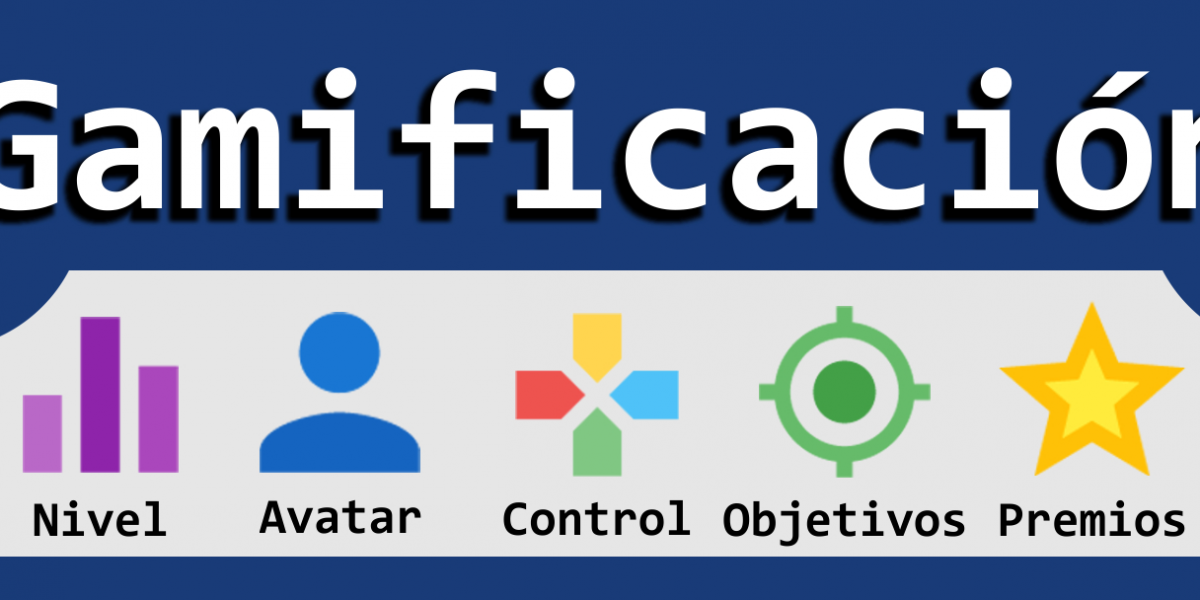
Gamification in online environments isn't about turning the classroom into a video game, but rather about transferring game elements to virtual classrooms to boost motivation, participation, and learning. When an educational activity incorporates clear challenges, rewards, immediate feedback, and narrative, students become more engaged and progress with greater enthusiasm.
Furthermore, the context is favorable: in Spain, almost half of all schools already have virtual learning environments , making it easier to integrate gamified activities into platforms familiar to both teachers and students. In this guide, you'll find techniques, practical examples, and a wide selection of tools to gamify your online classes thoughtfully and without losing sight of the pedagogical focus.
What is gamification and why does it work in the virtual classroom?
Gamification involves using game mechanics and dynamics in non-game contexts, such as online learning. It's not about playing for the sake of playing, but about leveraging the elements that make games engaging and channeling them toward specific educational goals.
It works because games activate powerful motivators: challenge, self-improvement, progress, and recognition . If the design is well aligned with learning outcomes, students not only have fun but also better internalize the content and practice skills as they advance through levels, complete missions, and receive meaningful rewards.
In education and professional settings, gamification uses two types of levers that should be distinguished: mechanics (what the system offers) and dynamics (what the user feels). Designing with both in mind avoids mere gimmicks and maintains focus on pedagogical value.
Common mechanics include points, levels, badges, leaderboards, streaks, missions, hints, wildcards, and progress bars . Key dynamics include curiosity, autonomy, competition, cooperation, narrative, surprise, chance, and immediate feedback . Choosing and combining the right ones is crucial.
The central idea is clear: it's not necessary to create a complete game , but rather to leverage objective-scoring-reward systems that give structure and meaning to the experience. This allows us to achieve two-way communication, sustained participation, and a more positive learning experience.
Key gamification techniques and how to apply them
Avatars to encourage participation
The avatar is the student's representation within the learning experience . It allows for personalization and, in online contexts, reduces friction when participating via voice or video. In a language class, for example, asking each student to create a character from the country they are studying fosters cultural immersion and reduces embarrassment: they speak as their character, explore customs, and are more confident even if they make mistakes.
Points competitions with fair rules
Awarding points for tasks or challenges is effective as long as there is genuine equality of opportunity . Imagine a challenge to reduce paper use across departments: great for raising awareness, but it's essential to ensure everyone has similar digital tools. The same applies to education: if gamified assessment isn't equitable , it demotivates those at a disadvantage.
Practical recommendation: combine individual with cooperative , alternate team challenges with common class goals, and use discrete or rotating leaderboards to maintain motivation without creating frustration.
Badges that recognize diverse profiles
Badges work because they visualize achievements and efforts beyond just grades. An inspiring example: in an Engineering Faculty, badges were designed for a creativity course, each linked to different skills (original idea, prototyping, presentation, leadership). Students were able to identify with various profiles and dispel the notion that creativity is a unique talent.
Gifts and the culture of recognition
Gifts introduce the social and collaborative dimension of gamification. Resources like the popular Kudobox-style thank-you box allow the class or team to send positive messages and symbolic gifts for specific milestones. This practice strengthens cohesion and provides pleasant surprises that boost morale beyond the competition.
Tools that work best in virtual classrooms
Quizzes and real-time assessment
Quizzes are a classic in educational gamification. Platforms like Kahoot! allow you to create multiple-choice quizzes with rankings and a fast pace to liven up video calls and in-person sessions. It's a very intuitive and versatile format , with public collections for different age groups.
There is also an alternative style that makes it easy to create quizzes for use in class or at home and supports text, images, and audio in the questions. This hybrid approach supports both independent practice and synchronous review in the virtual classroom, maintaining motivation through challenges and light competitions.
For those who prefer spontaneous questions and participation without accounts, there are free solutions that allow anonymous surveys . The teacher generates a link, and students respond from any device in various formats: multiple choice, open-ended response, or even small team competitions.
Another very popular option adds interactive activities directly to PowerPoint : you can insert word clouds, multiple-choice questions, or image uploads, and upon completion, award stars or points and display a leaderboard. This is ideal when you already have your presentations and want to give them a gamified twist without migrating to another platform.
If you're looking to solve the logistics of using devices, Plickers relies on printed cards with unique codes. The teacher projects yes/no, true/false, or multiple-choice questions, and the students respond by turning their cards over . The teacher's mobile phone camera scans all the responses simultaneously; the system recognizes each code and displays who answered correctly in real time. A simple, low-cost resource with a touch of augmented reality.
There are also platforms that turn quizzes into a game economy : each correct answer grants virtual currency to buy skills or strategic advantages to beat rivals. They often include a collaborative, shared-goal mode where the whole class works together to achieve a common objective in front of the teacher.
Finally, other solutions offer up to ten game modes for answering existing or custom question sets, accumulating rewards, and adjusting the level to the group's age. This allows students to review at home or in the classroom while unlocking upgrades and items for each correct answer.
In formative assessment contexts with access control, real-time testing tools with separate profiles for teachers and students allow users to create quizzes, view results instantly, and use class rankings. They typically offer free plans for groups of up to 50 students and premium options for larger classes.
Interactive presentations and two-way classes
The lecture can also be gamified. With Pear Deck -type tools , you can send questions, images, or activities to students' devices while you're presenting. The goal is to transform the session into a dialogue and capture real-time learning evidence to refine your explanation.
Furthermore, the multi-tools for creating content (presentations, infographics, posters, catalogs, and images ) incorporate interactive elements, game layers, and themed templates. They are perfect for designing missions, learning passports, or progress boards with a polished visual finish.
Study cards and spaced practice
If your goal is to memorize vocabulary or concepts, flashcard platforms are a safe bet. Brainscape stands out for its enormous variety of decks already created by the community (including in Spanish) and the ability for teachers and students to create and share their own.
Quizlet, for its part, makes it easy to both use existing collections and create study units tailored to the group. Its strengths include game modes, collaborative work, and a low learning curve: you can have a set ready for active review in minutes . Quizlet is especially useful in language and vocabulary classes.
Games and worlds that teach
The field of educational video games has matured. Minecraft: Education Edition has established itself as a rich environment for working on curriculum content through challenges, constructions, and missions , both individually and collaboratively. The teaching community has generated high-quality resources for almost any subject.
Taking storytelling a step further, Classcraft offers a cooperative world with characters and abilities. Students form teams of mages, healers, and warriors who complete missions and earn points and gold by fulfilling academic and social tasks. It's visually appealing, motivating, and has the potential to keep the group engaged.
In programming, CodeCombat transforms learning languages like Python or Lua into a progressively challenging video game . Progress is made by solving problems through code, with increasingly complex scenarios that reinforce computational thinking and persistence.
If you're interested in games created by and for students, Cerebriti is a platform where students design educational games or play others' games to reinforce learning. It's multiplatform and covers all levels from elementary school to higher education.
For the television quiz show format, there are proposals with templates like Who Wants to Be a Millionaire or Jeopardy , as well as utilities such as a countdown timer and virtual dice to liven up activities and exams.
The classic Trivial Pursuit game also has an online version. Trivinet allows you to create custom games collaboratively with students, play online or from Android smartphones, and manage question banks by topic.
If you're looking to compete with classes from other schools, there are collections of interactive multiplayer games for mental math and English that connect students from different schools in fast-paced and motivating experiences.
Math, science, and languages with real-time data
For science and math, there are platforms with over 2.000 curriculum-aligned games . They provide interactive activities, challenges, and detailed tracking for teachers with real-time reports on each student's progress.
To reinforce math and English, some apps offer personalized missions and adventures where students earn rewards and useful items to continue learning. These apps are adaptable to the group's level and allow students to play with other classmates under the teacher's guidance.
In the language learning sector, the school version of a well-known tool incorporates artificial intelligence to adapt the pace to the student. It offers games and challenges, rewards learning streaks, and allows for friendly competition with scores and leaderboards while reinforcing content.
Reading, children's and active methodologies
To encourage reading, some platforms invite users into a fictional school with six detectives who guide students to become literary investigators. They offer a large library, personalization, and interaction with books—a fun way to foster a love of reading.
In Early Childhood Education and the first years of Primary School, the Rubio publishing house's app integrates games for practicing math, writing, and letter recognition . Students create and personalize their profile and earn medals by completing levels, supporting their intellectual and motor development in a safe environment.
On the methodological side, there are web platforms that make it easy for any teacher to implement Project-Based Learning, Cooperative Learning, and Agile approaches with gamification strategies. A common advantage is the integration with Google Classroom to import courses and students on the fly.
Finally, some mobile apps geared towards microeducation offer short, continuous exercises in subjects such as social sciences, natural sciences, technology, and health. They have both a student version (games and challenges) and a teacher version (monitoring), combining gamification, methodology, and intelligent assessment.
Inspiring experiences and projects
Beyond the traditional classroom, there are socially impactful projects that demonstrate the potential of gamification. Antura & The Letters teaches Syrian refugee children to read Arabic using video games with challenges and missions that allow them to progress independently according to their level.
The Math Magic Oracle , a project developed by a university and an educational foundation, presents a magical world with over 500 math exercises . Students solve challenges, gain powers, and face off in duels against increasingly powerful wizards—a fun way to practice math concepts.
In the field of hackathons, a team developed a digital version of Pasapalabra to combat illiteracy , adapting the television format to a learning-oriented application with quick and dynamic tests.
Another winning project combined play and health to promote physical activity and prevent injuries associated with excessive technology use, demonstrating that gamification can extend beyond academics and reinforce healthy habits.
The Chimple initiative integrates artificial intelligence, gamification, and cognitive research to reduce social gaps by strengthening literacy , which is key to opening opportunities and fighting poverty.
One unique experience worth mentioning is The World Peace Game , a live-action role-playing game that simulates a global social, economic, and environmental crisis. Participants must cooperate, negotiate, and resolve conflicts to avert war, developing critical thinking and civic skills.
Practical tips for designing your online gamification
Define clear learning objectives and choose two or three mechanics to support them. Avoid the temptation to use everything at once; less is more when each element has a purpose.
Adjust the difficulty carefully: the key is to keep students in a state of achievable challenge . If everything is too easy, they get bored; if it's too difficult, they give up.
Alternate cooperation and competition . Class goals (e.g., unlocking a shared track) balance the leaderboards and encourage mutual support.
It provides immediate and meaningful feedback . Live quizzes and surveys help detect misunderstandings on the fly and reinforce successes with brief explanations.
Create a simple narrative: a journey, a mission, a league. A common framework gives meaning to disparate activities and sustains motivation over time.
Ensure fairness and accessibility: verify that everyone has similar resources and connectivity . When this is not the case, look for low-tech alternatives like Plickers or well-integrated offline tasks.
Use data to decide: platforms with real-time reports allow you to personalize support, detect learning paces, and adjust the next challenges for each student.
Beyond school: gamification in the workplace
Organizations have been using gamification for years in human resources, productivity, and tool adoption . Point systems for objectives, usage streaks, badges for best practices, or interdepartmental challenges increase engagement when designed fairly and transparently.
Company testimonials underline the impact: internal communication managers in large companies have observed that gamified training is better remembered and that messages are more impactful, provided that the game serves the content and not the other way around.
Gamification brings structure, excitement, and tracking to online learning. Using techniques such as avatars, points, badges, and rewards , and leveraging tools like quizzes, interactive presentations, flashcards, and virtual worlds, we can create motivating experiences that, above all, help students learn better, both at school and in the workplace.