- A complete overview of the reopening and modernization of state and regional electronic offices.
- Detailed explanation of how to access, identify yourself and manage procedures and files online.
- Practical guide on electronic certificates, security, technical requirements and use of AutoFirma.
- Summary of service notices, scheduled outages, and recommendations regarding fraud and system failures.
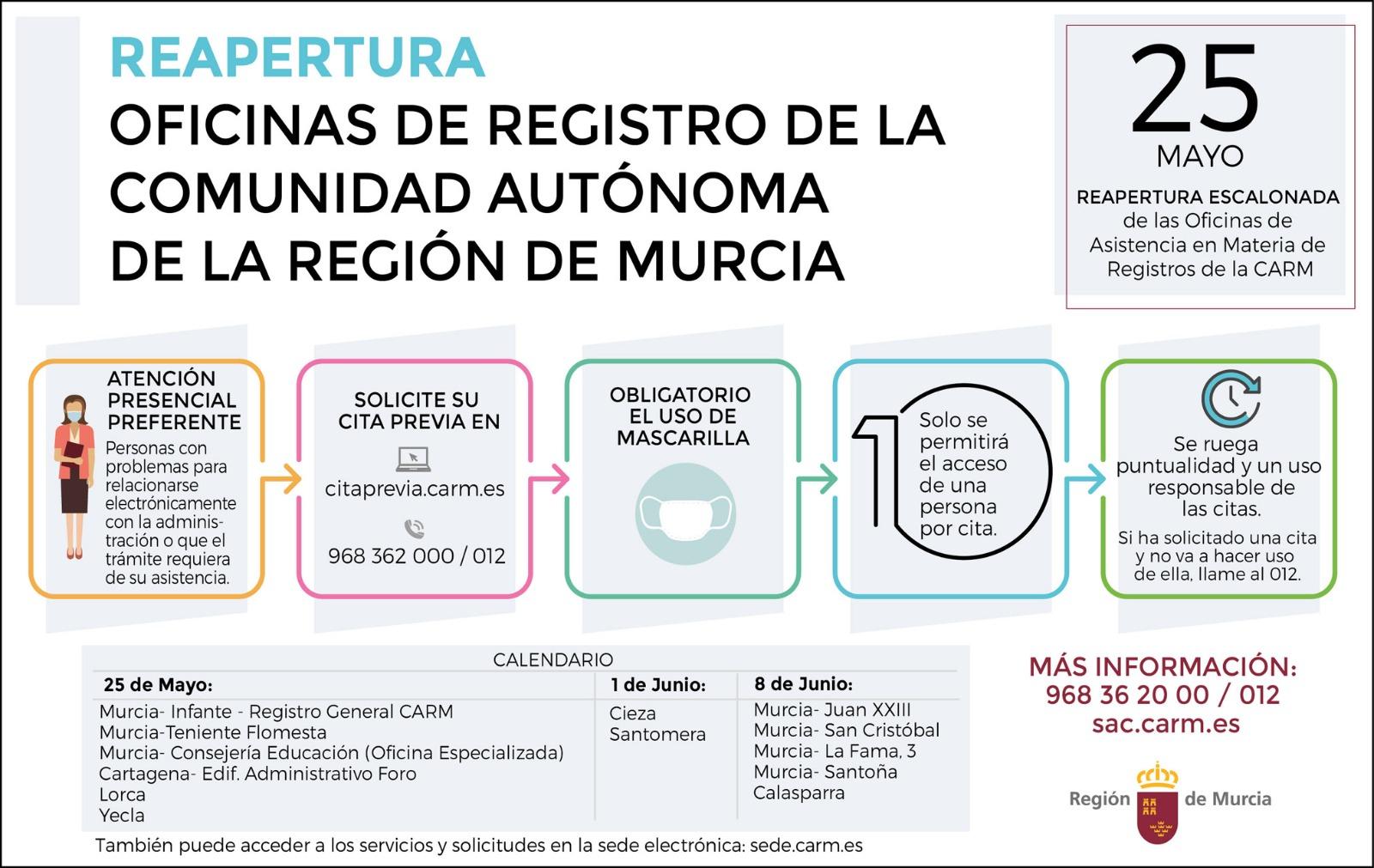
La reopening of the electronic headquarters And its evolution towards an increasingly digital administration is already noticeable in daily life: more online procedures, fewer queues at the counter, and a much more flexible relationship with the administration, accessible from a computer or mobile phone. Far from being just an aesthetic change, behind it lies a profound process of technological and regulatory transformation.
In recent years, various ministries and autonomous communities have been updating their websites, portals and systemsAt the same time, they published notices about service interruptions, fraud risks, changes in identification systems, and improvements in access to scholarships, grants, or notifications. All of this falls within the framework of Laws 39/2015 and 40/2015, and their implementing regulations through Royal Decree 203/2021, which define how these electronic channels must operate.
What is an electronic headquarters and in what context is it being reopened?
Royal Decree 203/2021 specifies the use of electronic means provided for in Laws 39/2015 (Common Administrative Procedure) and 40/2015 (Legal Regime of the Public Sector), indicating that citizens can to interact electronically with ministries and other agencies through their electronic portals. Thus, when you enter, for example, the electronic portal of the Ministry of the Interior, you do so in a regulated environment subject to very specific regulations.
In compliance with this legal framework, the various ministries report that access to their headquarters is through recognized electronic certificates, electronic ID cards or systems such as Cl@veIn addition, the site is technically identified with certificates issued by public sector certification authorities, such as the Spanish Public Administration Certification Authority (AC APE), which in some cases may generate browser warnings if the browser does not have the corresponding root certificate installed.
In parallel, the National Mint and Stamp Factory-Royal Mint (FNMT-RCM), through its CERES department, plays a key role, since It issues many of the digital certificates we use. to identify ourselves at these locations and electronically sign applications or documents. Therefore, a large part of the service notices published in recent years are related to technical interventions that affect the availability of these functions.
The new Digital Administration of the Community of Madrid

At the regional level, the Community of Madrid has taken a further step in this line of modernization with the comprehensive renovation of its old Electronic Headquarters, which is now called Digital AdministrationThe change is not limited to the name or the visual appearance of the portal: it is aimed at making it much easier and faster for Madrid residents to find and manage their procedures.
According to the regional government, the portal is launching with a completely redesigned, more intuitive and consistent design with the Digital Account mobile app. The goal is for anyone to be able to easily navigate sections such as "My Transactions," "My Notifications," or "My Cardholders," and to do so from any device, whether it's a computer, tablet, or mobile phone.
One of the great novelties is the incorporation of a much clearer procedure search engineThis is accompanied by a simplified navigation language. Instead of getting lost among generic menus, the user can locate the procedures they need using understandable terms and organize the service offerings more naturally.
Furthermore, the new Digital Administration includes quick access to the most in-demand functions and tasksThis allows users to directly access the sections that handle the majority of inquiries, such as specific scholarships, grants, or tax procedures. This dynamic selection of shortcuts aims to save time for those who repeatedly perform the same tasks.
Another important improvement is the possibility of access the procedures by various criteria: by topic (Housing, Education, Transportation, etc.), by type of procedure (scholarships, grants, fees, etc.) or by specific profiles (women, young people, seniors, entrepreneurs, etc.). This allows, for example, a senior citizen to find at a glance the procedures that affect them, without having to memorize the official name of each one.
The Madrid Digital Account: digital identity and processing from your mobile phone

The reopening of the regional government's electronic headquarters is accompanied by the launch of the Digital Account of the Community of MadridA mobile application that expands the possibilities for interacting with the government beyond the traditional website. This app allows Madrid residents to apply for scholarships and grants, check their status, or sign applications directly from their phones.
The Digital Account unifies everything in a single environment more than 100 public services and around 60 administrative proceduresOf these, approximately 65 are aimed directly at citizens, while around 35 are geared towards businesses and other economic actors, including information on grants for companiesThe result is a kind of "control panel" where processes that were previously scattered across different websites and forms are now centralized.
Each user has their own configurable digital identityThis takes into account factors such as age, family situation, and employment status. Based on this data, the application can make personalized recommendations: for example, indicating what grants or scholarships are available for large families, young people seeking employment, or people starting a business.
Within this customized logic, the app is able to to notify of the opening of application periods When it detects that a particular procedure matches the citizen's profile, the app not only displays the information for large families eligible for certain scholarships or grants, but also notifies them of the start of the application period, preventing oversights and missed opportunities.
Finally, the Digital Account also allows you to perform operations that traditionally required more complex processes, such as sign documents or request a refund of feesAll of this is integrated with the rest of the ecosystem of electronic offices and services, so that the experience is as seamless as possible, without the need to constantly jump between different platforms.
The electronic headquarters of ministries: services, procedures and private area
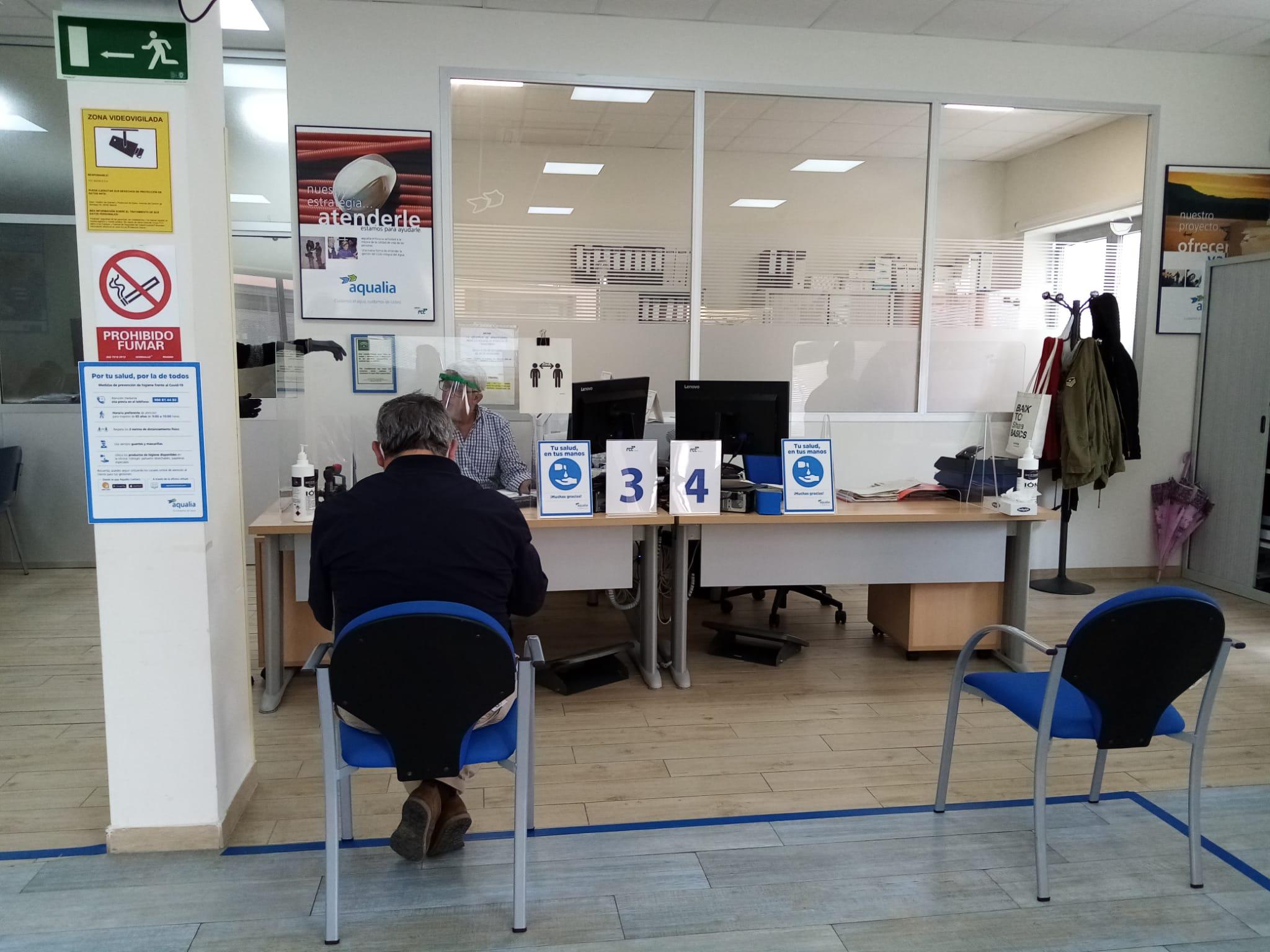
At the state level, ministries such as the Ministry of Digital Transformation and Public Administration, the Ministry of Culture, and the Ministry of the Interior have been structuring their electronic offices into well-differentiated service blocksalthough with common elements. They usually have a main menu with sections such as "Procedures", "Services", "About the headquarters", "Help" and access to the "Private Area".
Among the most common services are the General Electronic Record, the Registry Offices, the appointment at the Registry Assistance Offices, the consultation of units, organizational charts and directories through DIR3, the validation of certificates and signatures, the contracting profile, electronic notifications or the verification of documents through a secure verification code (CSV).
The "Procedures" section usually groups the procedures according to the competent body: for example, in the case of the Ministry for Digital Transformation and Public Administration, procedures related to the State Secretariat for Digitalization and Artificial Intelligence, for Telecommunications and Digital Infrastructure, for Public Administration and with the Undersecretariat itself. In the Ministry of Culture, on the other hand, areas such as archives, museums, film and audiovisual media, grants, scholarships, historical heritage, intellectual property, and public employment are organized.
A key element in these locations is the Private area or “My files”This is where the identified individual can view the status of their applications, download registration receipts, access requirements, resolutions, notifications, and, in some cases, retrieve the electronic receipt issued by the registry. This space serves as the personal history of their online interaction with the agency.
To facilitate access to procedures, the offices usually include a procedure finder and subject-specific listings. Furthermore, it indicates whether a specific procedure is being updated or if it does not yet have fully electronic processing, in which case it refers to the General Electronic Registry for submitting documents, applications, or communications addressed to the competent body.
Many procedures explain in a didactic way how the basic processing flow works: access the procedure and authenticate (usually with Cl@ve, DNIe or digital certificate)To begin, fill out the corresponding form, attach the required documentation, submit the application, and receive confirmation. Subsequently, tracking and receiving any requests or resolutions is done through the Private Area.
How to process it electronically: registration, supporting documents and CSV
Once a citizen accesses a procedure on the electronic portal of the relevant ministry or agency, the system guides them through the process. a series of relatively homogeneous stepsAlthough each procedure has its own particularities, the general logic is usually similar in all portals of the General State Administration.
First, select the procedure from the "Procedures" menu or from a direct link. Clicking "Access procedure" or an equivalent option redirects you to the Cl@ve authentication platformwhere the person can be identified by electronic certificate, DNIe, Cl@ve PIN or permanent Cl@ve, depending on the configuration of each location.
After authentication, a specific electronic form The form requires you to fill in the required information (identification, file details, additional information) and attach, if applicable, the necessary documentation in electronic format. In some cases, the system itself validates the files and notifies you if any required documents are missing.
Once the form is submitted, the application usually sends a email notification informing that the procedure has been initiatedHowever, the legal validity of the submission is supported by the electronic record. At that moment, the system generates a receipt or proof of submission that includes the date and time of submission, the data provided, and a registration number that identifies the transaction.
That protection usually consists of a electronic file signed with the web server certificate of the ministryThis guarantees the non-repudiation of the submitted data. It is very important to keep it, as it serves as proof of submission. Furthermore, it usually includes a Secure Verification Code (CSV) that allows you to verify the document's authenticity through the website itself or via platforms like VALIDe.
Subsequently, from the “Private Area” or “My Files” menu, the user can view the history of requests made, download the receipt again, verify the associated documentation, receive and respond to requests or even submit allegations, depending on the characteristics of the procedure.
Electronic certificates, FNMT and headquarters security
To navigate the reopening of electronic offices with ease, it is essential to understand the role of the electronic certificatesThese certificates allow for the reliable identification of the holder and, when used for signing, guarantee that the data has not been modified and that the signatory's identity can be verified.
If you have an electronic ID card, you already have one digital certificate embedded in your documentIn addition, a recognized certificate can be obtained through various qualified trust service providers, including the FNMT-RCM through CERES, which offers certificates for individuals, representatives (legal persons, entities without legal personality, sole or joint administrators) and other specific types.
State websites explain how Check and manage certificates in different browsersIn Edge, for example, you can access the certificate store from Settings > Privacy, search, and services > Security > Manage certificates (the "Personal" tab). In Firefox, it's through Settings > Privacy and security > Certificates > View certificates > the "Your certificates" tab. In Google Chrome, it's through the device's privacy and security settings and certificate management.
To verify that a certificate is valid and has not expired or been revoked, it is recommended to use platforms such as VALIDThis allows you to check the current status of the certificate and the accuracy of the signature. It is also noted that many procedures require the latest version of the AutoFirma application, available on the Electronic Signature Portal, to be installed; without it, some electronic signatures will not be completed correctly.
Regarding the identification of their own headquarters, some ministries warn that they have switched to using Certificates from the Spanish Public Administration Certification Authority (AC APE)As this is a relatively new authority, some browsers may display site security warnings if they do not yet have the root certificate installed. Therefore, a link is provided to download and install the certificate following the corresponding instructions.
Service notices, scheduled shutdowns, and technical maintenance
The reopening and maintenance of the electronic headquarters are not exempt from Technical interventions, occasional outages, or updatesThe FNMT and other organizations have been regularly publishing notices with dates, times and affected services so that users can anticipate difficulties or interruptions.
Among those notices are the backup center switchover testsThese outages are usually scheduled for Saturdays, with extended time slots (for example, from 8:00 a.m. to 16:00 p.m.). During the switching and return to the main center phases, service interruptions may occur for several minutes or even up to 90 minutes, although every effort is made to minimize the impact on OCSP, TSA, and certificate issuance services.
Specific interventions in communications, databases, and network infrastructure are also announced, both within the FNMT itself and on the SARA network, which interconnects public bodies. These actions may cause intermittent service outages, delays in certificate generation, or temporary unavailability of applications such as user registration, certificate downloading, component revocation, or the identity management portal.
In some periods, more specific incidents have been reported, such as the temporary unavailability of payment gateways all with pay feesSignificant delays (up to five business days) in the approval of video identification applications or scheduled shutdowns of several hours for database migrations. All these notices are usually accompanied by apologies for the inconvenience and recommendations to avoid critical procedures during the affected periods.
Similarly, notices have been published regarding actions in the DSA and in the CRL update (Certificate Revocation Lists), indicating that queries via LDAP might not be up-to-date for a few hours, while those published via HTTP remained current. Additionally, urgent interventions were reported which, while not expected to cause outages, could result in brief interruptions to traffic, especially in OCSP and QTSA validation services.
Fraud, fake emails, and security recommendations when using the headquarters
In connection with the intensive use of electronic offices and certificates, the following have also been detected fraudulent email campaigns that impersonate organizations such as the FNMT-RCM or its CERES department. One of the warnings details a campaign in which the attackers used the address representacion.ceres@fnmt.es as the supposed origin of the message.
The purpose of these emails is, generally, steal personal or banking dataThis can happen either through fake websites that mimic official portals or through attachments containing viruses or malware. Therefore, it is strongly recommended that these messages be ignored, and some basic cybersecurity guidelines for citizens are reiterated.
The recommendations include, among others, Do not open messages from unknown or unexpected sendersDeleting them directly; never replying to suspicious emails; being extremely cautious when following links, even if they appear to come from known contacts; and not downloading attachments without being completely sure of their legitimacy.
It is emphasized that this type of fraud is not new and that Raising public awareness is fundamental To avoid falling into these traps, the correct use of online portals also involves always verifying that the URL is the official one, checking the site's digital certificate, and, if in doubt, contacting official support channels before providing sensitive data.
Impact of the state of emergency, renewal of certificates and reopening of offices
During the state of emergency declared due to COVID-19, the operation of the electronic headquarters and accreditation offices was severely affected, which forced us to adapt deadlines, procedures and methods for obtaining and renewing certificatesAs normality has gradually returned, the exceptional measures have been deactivated and the new conditions communicated.
In accordance with Royal Decree 463/2020, administrative deadlines were suspended and avenues were enabled for Recently expired certificates may still be used In certain contexts, such as with the Tax Agency. Renewal deadlines were also made more flexible: for example, it was possible to renew certificates for Individuals and for Representatives of Sole or Joint Administrators that had expired from the date the Royal Decree came into force, without applying the usual limitations of days prior to expiration.
In terms of accreditation, specific procedures were enabled, such as the accreditation of certificates of Representative of Legal Entity and of Entity without Legal Personality through post offices, or the extension of the validity of certain commercial registry certificates issued before the state of alarm and still within their initial term.
As the de-escalation progressed, it was reported that progressive opening of accreditation offices of bodies such as the Tax AgencyInitially in areas in Phase II. These announcements were accompanied by messages of caution, indicating that constant dialogue was being maintained with the different agencies to coordinate the reopening and the new conditions for serving the public.
All of this had a significant impact on the workload of the call center and support services, so users were asked to... Do not send duplicate emails on the same subjectThey reminded everyone that inquiries are handled in the order they are received and that, even if there are delays, all inquiries will be answered. At the same time, they encouraged users to follow updates through the official website and social media channels, avoiding overloading these platforms.
Relationship with other organizations and effects on interconnected services
The electronic headquarters and the issuance of certificates do not operate in isolation, but are interconnected. closely coordinated with other public bodiesThis applies at the state, regional, and local levels. Technical interventions on the SARA network or CERES systems can affect services that depend on this infrastructure, such as registry queries, directories, or data intermediation platforms.
Some of the more detailed notices report on scheduled actions at broadcasters such as the General directorate of policeThis outage is expected to last several hours and could potentially impact services provided through the Data Intermediation Platform. These services include identity data inquiries and verifications, legal residency history inquiries, procedures related to foreign documentation, and expanded identity inquiries for foreign citizens.
Likewise, certain interventions in internal communications could reach produce localized outages in the SARA network between CERES and other organizations, affecting directory replication, data dumps, and access to services from connected organizations. In these cases, the time slots were specified, and it was noted that, although a prolonged service outage was not anticipated, there could be brief micro-interruptions or very short interruptions.
Another particularly sensitive area is that of user applications related to certificatesApplication, verification, download, renewal, invoice download, component pre-registration, revocation, or identity management. In the many database migrations and updates carried out in recent years, it has been clearly indicated when these services would be offline for several hours.
Beyond the technical aspects, the agencies involved have emphasized that work continues, together with the entire public sector, to find alternatives that maintain continuity of service even in exceptional situations, and so that citizens perceive a Digital Administration that is increasingly stable, secure and easy to use.
This entire process of announcements, updates, new mobile applications, improvements to the procedure search engines, and security enhancements shows how the reopening and modernization of the electronic headquarters is not an isolated gesture, but the result of a sustained process of digital transformation that seeks to make it easier for anyone to carry out their public procedures more conveniently, reliably, and accessibly from any location and device.