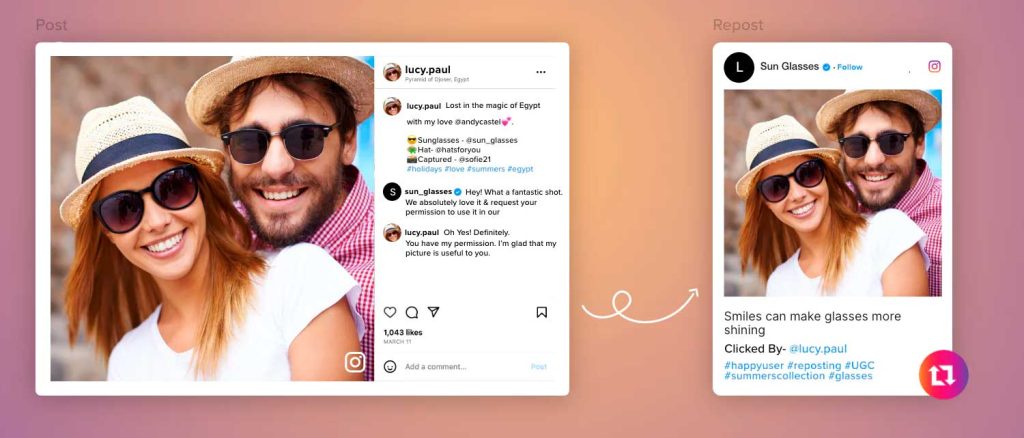
Many times we are checking Instagram and a publication appears that catches our attention and we want to share it for some reason but we do not know how to make a repost on InstagramIf this has happened to you, don't worry, because I'll answer your question here. First of all, you should know that there are many ways to make a repost, but I am not going to overwhelm you with so much information and I will show you how to do it with the help of an application on your mobile device, especially with an IPhone.
Procedure
Enter your app store and write in the search engine “repost for Instagram” and you will get several options. Of all of them you are going to install the one that has a logo with a blue background and some white arrows that make the silhouette of the Instagram logo.
Enter the application, at the bottom will appear the option to open Instagram and you will press it.
Within your Instagram you will find the photo you want to make the repost and you will press on the three points that are in the upper right corner of the publication.
You'll select “Copy link”, close Instagram and open the previously downloaded application.
You will notice that the publication will already be open in the application and you will only have to Choose where you want the name of the person to whom the publication belongs to appear.
Also you can choose not to put the person but you will have to pay for that. Another option available is the background it will have, either black or white.
After Click on “Publish on Instagram” and you will choose between history or profile.
The next is make the typical modifications that are made on Instagram before posting.
As you have noticed, a repost can be done without following complex steps and there are many applications that make this process even easier. This time we worked on an iPhone but on Android you also get a range of applications with which you have to follow the same steps explained here. Remember that this is just one of the ways to make a repost, keep reading to discover more.
How to make a Repost on Instagram Stories?
Repost on Instagram stories It's easier than it sounds and there are two super easy ways to do it. I will be explaining both techniques so that you can enjoy each one to the fullest and can share your knowledge with other people.
Shape #1
The first way to do it is when someone has tagged you in one of their stories And the truth is that the steps for you to publish it are very simple. Procedure
You go to the notifications of the stories, you will open the story and below you will get the option to add to your stories and you will select it.
then you can write something or put a sticker and when you finish making the arrangements, you press publish and that's it.
This time it's about how to repost a post you weren't tagged in and the level of difficulty remains the same.
Procedure
You click on the option to send the publication, which is the one that has the shape of a paper airplane, and you will press where it says “Add this to your stories”.
Automatically Instagram takes you to start making the changes you want. You can click on the image to get all the information of the publication or just it.
As with other stories you will have the opportunity to add text, sticker, add links, play with colors and more, then that it is as you wish, you only have to publish it.
In summary, make a repost on Instagram stories there is nothing complicated and there is a way to do it for different occasions. Don't stay curious and make your first repost in your stories.
How to Make a Repost on Instagram from PC?
Sharing images using Instagram from your PC is more common than you think, but in case you are not very clear on how to do it, you just have to continue with us, we are going to explain the precise procedures so that you can make a Repost on Instagram from your PC.
Keep reading the procedures we have for you about share your images on this social network widely used worldwide using your PC. The steps to follow are as follows: As you already have this step ready you can download the App you want from your PC.
To start you must have in your property a android emulator for pc, this being called BlueStacks, being useful to be able to use Android applications on the PC.
Once you have The Android emulator must be installed on the PC.
Then you proceed open BlueStacks and it will ask you for permission to establish a connection with the Play Store, using your Google account for it. You must adapt the AppStore, and then you need to configure the BlueStacks account and do the synchronization.
Now, in your browser you will search Repost for Instagram and once it appears you must take the one of your greatest interest and continue installing.
When the installation process is finished, you must open the App and will ask you for the username and password of your Instagram account, and then you're going to log in.
when you open the app you can see the posts of the people you follow.
The only thing you have to do now is select the photo of interest to share, in the upper right, next to the user you press and you will see how it is displayed, for later Click “Copy URL”.
You will see that in the downloaded Repost App is the image from which you copied the URL. And so that you can share said image, you are going to go to the upper right and click on the camera icon.
And now you just have to hit it at the bottom where it says Repost so you can finish the process of sharing the image.
So you can post your images of interest from the PC It is important that you follow each of the steps that were provided to you previously, and as you have seen, they are all very simple, so you will not have any complications.
How to Make a Repost on Instagram of a Video?
Instagram is one of the most used social networks today because it is always innovating to provide its users with greater comfort and a variety of functions that can be useful for leisure and work, being able to make republications on it or post images or videos.
And in case, for any reason, you want to learn how to bake videos, you can stay with us so that you understand how to do it. So, the procedure of how to repopst on instagramfrom a video are the following:
The first thing to do is download repost for instagram and once you have it working, you are going to look for the video that you plan to share, then you are going to go to the 3 Points Icon at the top of the publication.
When you press the icon of the points, several options will be displayed and you will select Copy Link, Now the web address of the chosen publication will be saved on the clipboard of your cell phone.
The Repost App will recognize the post link that you just saved to the clipboard and it will notify you with a notification, where you will be told that you can open the link whenever you want.
You can press the notification to open Repost of the link or you just do it directly in the App.
When the App opens, it will show you how the republication will look What are you thinking to do. At the bottom you will see a bar to modify the box that shows the name of the account that published the video and you can also change the color.
Then you will give where it says Repost, and you will be informed that the original publication will be saved in the clipboard of your cell phone in case you need it later and to process the video you only have to click on the Open Instagram button.
When you open Instagram you will see the video as if you had always had it on your cell phone. If you want to add a text to the video you can do it as you normally would.
With these simple procedures you will be able to repost all the videos you want to publish, thanks to the fact that Instagram seeks to improve your experience. As you can see, this process is not at all complex, as many can imagine.
How to Make a Repost on Instagram with Text?
Making a repost on Instagram is very simple even if text is added, since other procedures described above can be taken into account, but I bring you another technique to expand your options.
Procedure
Search Instagram for the post you want to share and when you have it you are going to press on the 3 points that are in the upper right corner and select "Copy link".
Type in your mobile browser “DownloadGram” and you are going to paste the URL in a text box that will appear at the top of the page. Then you select “Download” and then download video or image.
Another page will automatically open.
On Android OS you leave the image or video pressed, you will get the option to download and select it.
On operating systemiOS you press download and you can select “Save image” or “Save video”
The image or video is already saved on your mobile and now you go to Instagram, press the middle button in the bottom bar of the screen and look for the downloaded post.
You can add the text you want in the Repost and remember to mention the person to whom the publication belongs, for that you put “@ + (username)”. Finally, you click on “Share”.
As you will see, to make a repost with text on Instagram You can use a website, but you can also do it by taking a screenshot and cropping the sides of the photo, using filters, adding text, and posting as usual. There are many known ways to do this. techniques to repost on Instagram and those explained in this section are some of the most outstanding. Try them out and share your experience with us and other users.
don't forget in follow us to continue enjoying on very interesting data.