- Scratch is a visual building-block language from MIT for creating games, animations, and stories.
- Works with sprites, stages, and events; categories include motion, appearance, sound, control, and more.
- Ideal for education: computational thinking, project work, and collaboration.
- Bridge to languages like Python or JavaScript and hardware through extensions.
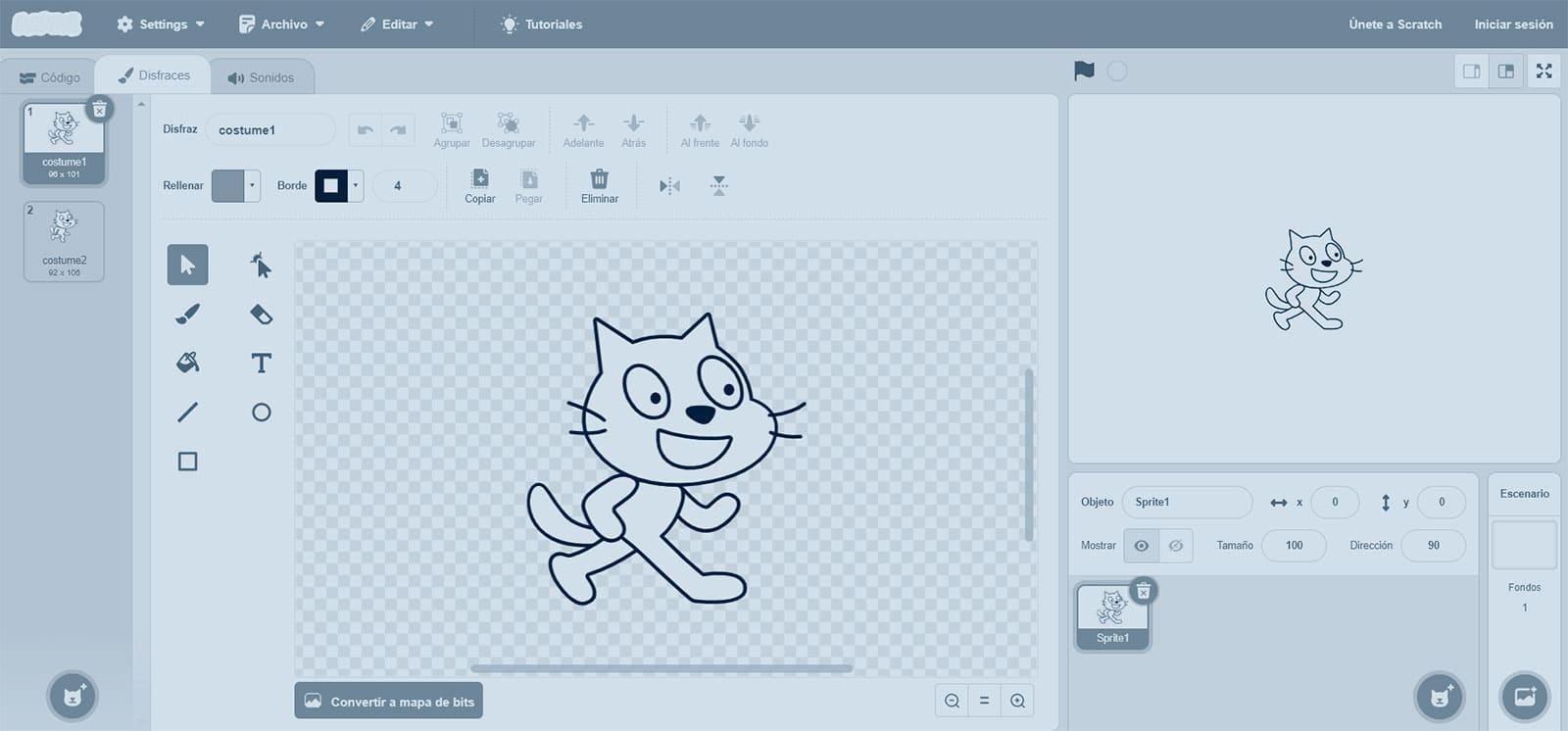
If the word Scratch sounds familiar but you're not sure what it is, think of it as a game of pieces that fit together to give orders to a character on the screen: that's programming with blocks. With Scratch, a visual language created at MIT, anyone can learn programming logic without writing traditional alphanumeric code.
The best part is that with just a few blocks you can create stories, animations, and games that react to your actions. This playful approach eliminates the syntax barrier and makes learning to program is accessible, entertaining and very creative.
What is Scratch?
Scratch is a visual programming language and creation environment Designed for beginners, and especially children and young people, to learn key concepts such as sequences, loops, conditionals, and events without complications.
The platform works with colored blocks that you drag and drop; each block represents an instruction. By fitting them together like puzzle pieces, You build scripts that control what happens in the scene.
Where the name comes from and what makes it different
The name comes from the English term scratching, used in programming to describe pieces of code that can be reused and mixedThis idea is carried over into its block-based interface, which allows you to combine, adapt, and reuse logic without fear of breaking anything.
Also, Scratch is free and open-source software, which has boosted its global reach. You can use it for free, learn at your own pace, and share your projects with the community.
Desktop application and web version
You can work with Scratch in two ways: as installable application (available for Windows, Ubuntu, Sugar, and Mac) or directly in the browser, without installing anything. Both options offer the same block-based philosophy and allow you to save and share your creations.
Whichever variant you choose, the flow is similar: you select objects called sprites, add backgrounds, and then join blocks together to define behaviors, reactions and appearances.
How Scratch Works
Projects
Everything you create in Scratch is a project, which can be a game, an animation, a story, or a simulation. A project groups scenarios, sprites, sounds and scripts that cooperate to achieve the result you expect.
sprites
Sprites are interactive characters or objects: cats, robots, cars, whatever. Each sprite has its own set of blocks, costumes, and sounds, so They can move, talk, change appearance or detect collisions..
Blocks
Blocks are pieces that represent actions, conditions, or data. They are dragged into a programming area and connected together. When fitted correctly, You avoid syntax errors and focus on logic.
Event-based programming
Scratch is strongly event-driven: starting the project, pressing a key, or clicking on a sprite triggers actions. This philosophy makes it easy to react to user interaction or changes in the environment.
Share and collaborate
With an account on scratch.mit.edu, you can publish your projects, explore others' projects, and create remixes to learn from their ideas. This community fosters social learning, collaboration and continuous improvement.
Block categories in Scratch
Actions and behaviors are grouped by colors into categories. These are the most important, with examples of what they allow you to do and why they are important for educational purposes:
- Movement: Move a sprite, rotate it, slide it to certain coordinates, or set its rotation. Ideal for understanding coordinates, vectors and directions.
- Appearance: Change costumes, show/hide, modify size or graphic effects, and alter the background. Teaches how separate presentation logic.
- Sound: Play clips, control volume and tempo. Allows synchronize audio with events and work on rhythm/time.
- Pencil: Draw lines and shapes by moving the sprite, changing color, thickness, and shadow. Perfect for geometry and spatial thinking.
- Facts & figures: Variables and lists for storing scores, states, or collections. They form the basis of the state storage.
- Events: Blocks that trigger scripts on startup, keystrokes, or messages. A pillar for reactive architectures.
- ControlStructures like if/else, repeat, forever, and stop. These are internalized here. conditionals and loops.
- Sensors: Detect pointer, color, distance, or input from external devices (e.g., LEGO robot). Introduce interaction with the environment.
- Operators: Arithmetic, comparisons, randomness and logical operations. They are the toolbox for expressions and decisions.
- more blocks: Extensions and custom blocks, as well as hardware drivers. They help to modularize and reuse logic.
What is Scratch for?
It is used to get started in programming in a guided and fun way, creating interactive stories, programming games, animations and simulationsIt also makes it easy for others to download, modify, and republish your projects.
It is a perfect tool to understand how a program is structured, how data is represented and how it is controls the flow with events and conditions.
Who uses Scratch
It is designed for all ages, but its main focus is on early learning. They use it Children and youth in schools and extracurricular activities, progressing from simple projects to more complex challenges.
The Educators integrate it into science, math, art, or technology subjects. And many experienced hobbyists use it to prototype ideas quickly or teach beginners.
The online community is large and active: you can share, receive feedback, collaborate and participate in challenges, which reinforces the continuous learning and motivation.
Scratch in the digital age
In an increasingly digital world, programming literacy has become essential. Scratch empowers computational thinking and digital culture from an early age.
Understanding how programs work, how they are designed and how they are debugged is a transversal advantage that impacts studies, employment and problem solving.
Why learn Scratch today
Programming is increasingly becoming a language that is important to understand in order to understand the present and future of work. With rapid technological change, it is estimated that Numerous roles will be transformed and many will be automatedScratch offers a friendly on-ramp to understanding the logic behind software and robotics.
Furthermore, its playful approach reduces the initial rejection of classic programming environments, making try, fail, and improve be a natural part of learning.
Advantages for child development
In primary and secondary education, Scratch fits like a glove. Its use provides very valuable cognitive and social benefits, which are reflected in the classroom and beyond thanks to its practical and collaborative nature.
- Develop logical thinking: create clear and orderly algorithms.
- Learn problem-solving methods: divide into steps, plan and evaluate.
- Encourage self-assessment: detect errors, debug and iterate improvements.
- Questioning your own ideas: contrast hypotheses and validate with tests.
- Achieving complex results from simple ideas: compose solutions.
- Respect individual rhythms: each student advances according to their level.
- Establish mathematical concepts: coordinates, variables, algorithms, randomness.
- Understand programming fundamentals: data, control and events.
- Working with diverse media: sound, image, text and graphics.
- Collaborative learning: share, analyze and improve community projects.
Examples of projects you can create
To illustrate its versatility, these examples are ideal for starting and evolving: they help internalize key concepts with quickly visible results.
- Classic games: a Pong game with paddles and a ball, or car races with obstacles. They practice collisions, scoring, and keyboard controls.
- Interactive stories: dialogues, player decisions, and scene changes. They work with events and states.
- Educational simulations: simple physical phenomena, ecosystems, or mathematical experiments. They reinforce science and logic.
- Animations: visual effects, day and night cycles, or transformations. They develop sequences and synchronization.
Getting Started: From Zero to Your First Project
Sign up for free at scratch.mit.edu to access the editor, resources, and community. Creating an account will allow you to save to the cloud and share what you do.
Start by exploring already published projects. Seeing how others have solved problems and remixing their ideas is a great way to learn by observation and practice.
Your first project can be very simple: choose a sprite, add a background, and create a script that when you press a key, makes the character move, change costume, or make a sound.
When you feel comfortable, introduce variables for scoring, conditions for game logic, and messages between sprites for coordinate complex behaviors.
The platform itself offers guided tutorials and activity cards. It is complemented by free videos and courses for master advanced features and extensions.
Extensions, sensors and the physical world
Scratch doesn't just live on the screen. With extensions, it connects to devices and sensors, so your programs respond to real-world inputs.
From detecting colors or distances to integrating educational robots like LEGO, these options expand the scope of the STEAM classroom. There was even specific hardware, often referred to as Scratch Board, that allowed interact with the physical environment from the project.
What you will learn without realizing it
While you have fun creating, you internalize the pillars of computer science: abstraction, decomposition, patterns and evaluationAll this with immediate feedback.
You also develop transversal skills: communicating ideas, presenting projects and working in a team. This combination makes Scratch is much more than a toy to schedule.
Publish, share and improve
Publish your project and write a brief description. Asking for feedback and reviewing suggestions drives continuous improvement and helps you learn to document and version.
The remix button allows others to build on your foundation, and you on theirs. This creates a culture of reuse and recognition of the work of others.
Beyond Scratch
Scratch is the first step on a long road. With the logic already established, you can move on to languages like Python or JavaScript, or to video game engines like Godot.
Many creators start with Scratch and then move on to larger projects, such as prototypes, apps, or mobile games, applying the same concepts of events, states and structures who learned with blocks.
A note on resources and community
In addition to the official website, you will find communities, free courses and informative content, including Podcasts dedicated to teaching with Scratch, with chapters focused on classroom tips, activities, and experiences.
This entire ecosystem makes it easier for both teachers and families to have access to ideas, materials and projects ready to adapt at different levels and objectives.
Scratch combines the power of a great tool with the energy of a community that shares, comments, and raises the bar for everyone. Creating, experimenting, and making mistakes stops being scary when the pieces fit together. Each attempt brings you closer to a better solution.